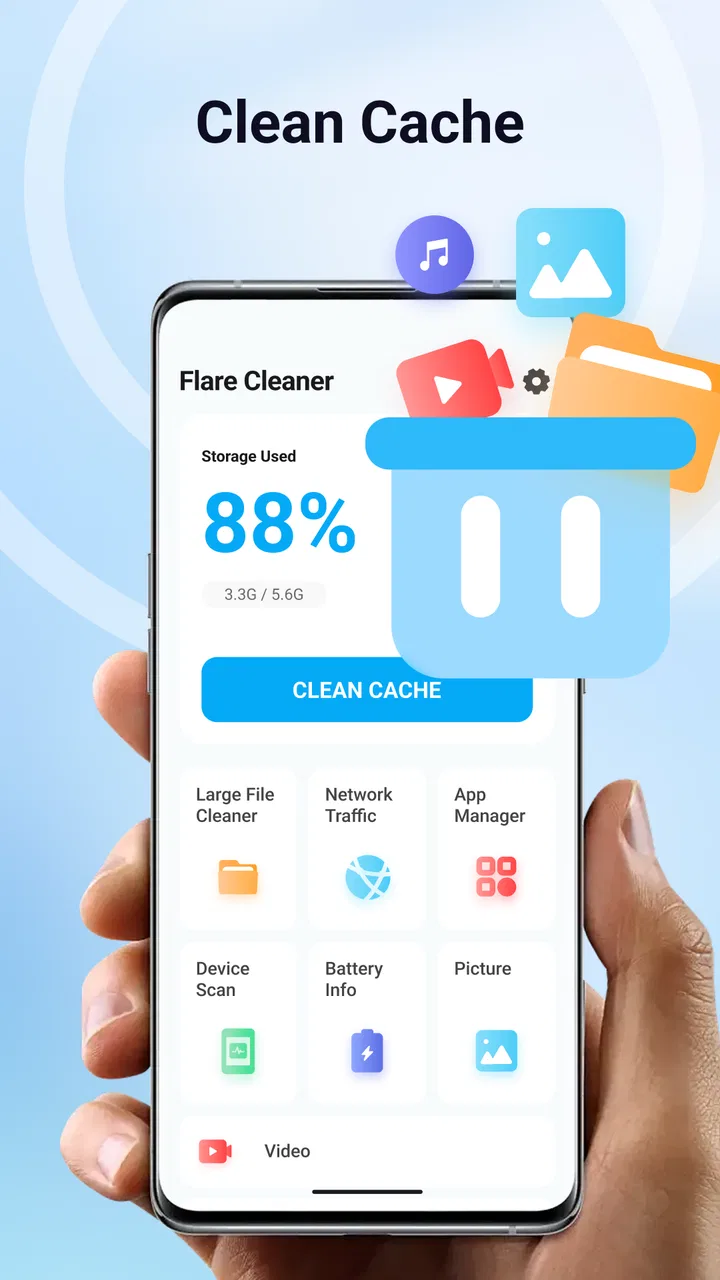
Flare Cleaner
- 4.5
- Rating
- 1.00M
- Installs
- Free
- Price

 Analysis by App-foxy
When a phone is shared around a household, storage problems rarely belong to just one person. One family member saves videos, another installs games, and someone else keeps downloading files for work or school. I found Flare Cleaner useful in that situation because it puts storage management, large-file cleanup, and app organization in one straightforward tools app. It is free, aimed at everyone, and developed by Online Radio & Music Apps.
My first impression was that it is best understood as a practical maintenance assistant rather than a dramatic performance booster. The real benefit is visibility: instead of guessing what is filling a phone, you can review the material taking up space and decide what is still worth keeping. That distinction matters, especially on a shared device where deleting the wrong item can create an argument or interrupt someone’s routine.
How Flare Cleaner fits a shared household phone
Imagine a tablet or phone used by several people. A child downloads a few large games, a parent stores travel videos, and another user saves documents or images from messaging conversations. After a while, the device starts warning about storage. The usual response is to open random folders and remove whatever looks familiar. I prefer a more deliberate approach, and this is where the app makes sense.
You May Also Like

 Blood Strike: 2.5 Anniversary
Blood Strike’s Loadouts Turn Every Drop Into a Tactical Gamble
A close look at Blood Strike’s custom loadouts: how fast access to signature weapons reshapes its battle royale rhythm, rewards preparation, and narrows the gap between fights.

 Pandora - Music & Podcasts
Pandora’s Music Is Easy to Start, but Harder to Recover
Pandora’s strength is its low-effort path from a seed to a station. Its weak spot is how much confidence it asks you to place in connection, setup, and quiet recovery.

 8 Ball Pool
 Is Built on Rivalries, Rematches, and Routine
A close look at the rivalries, rematches, shared routines, and unanswered safety questions that turn a quick pool match into a persistent mobile community.

 Samsung Music
’s Quiet Strength Is Playing What You Already Own
Its reach comes less from spectacle than from dependable access to a personal library. That simplicity is both the app’s strongest retention engine and its ceiling.

 AccuWeather: Weather Radar
AccuWeather Review: A Quick, Clear Forecast for Everyday Decisions
For everyday plans, the best forecast is the one you can understand quickly. AccuWeather makes rain timing, radar, and local conditions easy to act on, with a few trade-offs.

 Hill Climb Racing
Why Hill Climb Racing Still Turns Crashes Into One More Run
A tiny car, a bumpy hill and one more upgrade: Hill Climb Racing keeps resurfacing because its simple chaos makes every near-miss feel personal.
More From Our News Desk



I would open the cleaner before a busy moment, such as before leaving for a trip or downloading a large offline playlist. I would review the large files first, identify material that clearly belongs to me, and then ask the other users about anything uncertain. That simple pause is important. A cleaner can show what is taking space, but it cannot know whether a family video, school project, or saved document has emotional or practical value.
The app’s focus on large files is particularly helpful for shared use. Small leftovers are easy to ignore, while one oversized recording or downloaded video can make a much bigger difference. I also like the app-organization angle because it encourages a broader review: storage is not only about media files, but also about applications that were installed for a single occasion and then forgotten.
There is a useful trade-off here. A focused cleaner is less overwhelming than manually exploring every system folder, but it also means I still need to make the final decision. I would not treat a scan as permission to remove everything it presents. The safest routine is to use the app as an inventory, then delete only items whose owner and purpose are clear.
What I would check before touching anything
On a household device, I would begin with ownership rather than size. A large file is not automatically disposable, and a small file may be important. I would ask three quick questions: who created it, when was it last needed, and is another copy available? This workflow turns the app from a one-tap cleanup tool into a safer decision-making aid.
I would also avoid cleaning while another person is actively using the phone. Someone may be viewing a downloaded lesson, editing a video, or relying on an installed app for navigation. Even when the cleanup itself is simple, coordination prevents the most common household mistake: removing something that was temporarily important.
Another practical tip is to review apps separately from personal files. If an application is no longer needed, uninstalling it can be a cleaner decision than deleting random photos. But I would check whether the app contains locally stored progress, drafts, or downloads first. This is especially relevant for games and creative tools, where removing the application may affect local material even if the app itself seems unused.
Setup, boundaries, and everyday coordination
Flare Cleaner runs on Android devices using version 7.0 or later, so compatibility is something I would check before planning a household cleanup. The current version is 1.0.2. For a newer phone, that should make the basic decision simple: install it, open it, and use its storage-focused tools when the device needs attention. On an older shared phone, I would confirm the operating-system requirement first rather than assuming every Android device can use it.
Because this is a general tools app, I would establish boundaries before handing the phone to another family member. My rule would be that nobody deletes files belonging to someone else without asking. That sounds obvious, but a cleaner interface can make removal feel more official than browsing through a file manager. A short household agreement avoids confusion about photos, downloads, and app data.
I would also choose one person to perform the final cleanup on a shared device. Several people independently deleting items can create a messy process, especially when one person is reviewing files while another is installing something new. A single reviewer can collect questions, confirm ownership, and keep the process consistent.
The app is free, which makes it easy to try without adding a purchase decision to the cleanup conversation. It has an Everyone content rating, so its presentation is suitable for a broad audience. Still, an age rating does not replace supervision. Younger users may understand that a file is large without understanding why it matters, and they may not recognize the difference between an old download and a family archive.
For that reason, I see it as a tool for shared decision-making, not an independent household administrator. I would let a younger family member help identify their own unused games or downloads, but I would keep the final removal step with an adult or the device owner. That approach respects both convenience and account boundaries without pretending the app provides family management features.
Keeping accounts and personal material separate
Shared devices create a special privacy problem: a person may be comfortable with another household member knowing that storage is full, but not with that person browsing every personal file. I would use the app during a mutually agreed session and avoid turning cleanup into an excuse to inspect someone else’s material.
If the phone supports separate user profiles or account separation, I would treat those boundaries as more important than the cleaner’s convenience. The app can help organize storage, but it should not be used to bypass the normal privacy expectations between users. If everything is mixed together under one account, I would be especially cautious and ask before reviewing ambiguous files.
This is one of the situations where a traditional file manager may be preferable. A file manager can offer more direct folder-level control for someone who already understands the device’s structure. Flare Cleaner is more approachable when the problem is “what is consuming space?” rather than “I need to manage a precise folder hierarchy.” The better choice depends on whether simplicity or granular control matters more.
A realistic weekly routine
For a household phone, I would not wait until storage is critically low. Once a week or after a major event such as a holiday, I would open the app and review the largest items. I would remove only confirmed duplicates, obsolete downloads, and applications that nobody intends to use again. Then I would stop. A short, selective session is safer than a rushed deep clean.
After a family trip, for example, I might find several long videos and temporary downloads competing with school files. I would ask each person to mark the recordings they want to keep, move important material to the agreed storage location if one exists, and then use the app to identify the remaining bulky items. The key insight is that the cleaner works best after the household has decided what is valuable; it is not a substitute for that conversation.
I would also keep a small note of applications removed during the session. That is not because the app needs complicated tracking, but because it helps avoid reinstalling the same forgotten games or tools a few weeks later. In a shared environment, this turns cleanup into a repeatable habit rather than a cycle of panic, deletion, and clutter returning.
Age, trust, and the limits of automation
The Everyone rating makes the app approachable for general household use, but I would still distinguish between being allowed to open it and being ready to make deletion decisions. A teenager may be perfectly capable of reviewing their own downloads, while a younger child may need an adult to explain why a large file should stay or go.
I would never describe the app as a parental-control solution. Its value is storage organization, not supervising accounts or enforcing household rules. Families looking for screen-time limits, purchase approvals, or separate child profiles should use tools designed for those purposes. Choosing the right category prevents disappointment and reduces the temptation to make the cleaner responsible for decisions it was not built to make.
Trust also matters between adults. If a partner or roommate shares a device, I would agree on a review window and let each person handle their own files. The app can support coordination by making the storage problem visible, but it cannot resolve disagreements about what should be kept. In my experience, that honesty is a strength: it keeps the user involved instead of hiding a consequential action behind automation.
How it compares with the usual alternatives
The most obvious alternative is the built-in Android storage screen. That option is convenient because it is already on the device and may be enough for someone who only wants a quick overview. I would choose the built-in tools when I need a system-level check or when I do not want to install another application.
I would choose Flare Cleaner when I want a more focused cleaning session centered on large files and app organization. Its purpose is easier to explain to another household member: open it, review what occupies space, and decide what belongs. That can be less intimidating than navigating several system settings.
A manual file manager is better for advanced users who need exact folder control, batch handling, or a detailed understanding of where files live. The trade-off is that manual control demands more knowledge and creates more opportunities for accidental changes. Flare Cleaner sits between a basic storage screen and a highly technical file-management workflow.
Dedicated cloud-photo services can also help reduce local storage, but they solve a different problem. They focus on backup or synchronization, while this app is about reviewing the device itself. I would not use a cleaner as a replacement for a backup plan. Before removing irreplaceable photos or recordings, I would confirm that the important copy is safely available somewhere else.
The app has attracted an average rating of 4.4 from around 5.4 thousand ratings, and it has passed one million installs. Those figures suggest that many people find the basic idea useful, but they do not remove the need for careful handling. A popular cleaning tool can still be the wrong choice for someone who wants advanced privacy controls, automated backup, or detailed multi-user administration.
Who should use it, and who should skip it
I would recommend Flare Cleaner to someone whose Android phone feels crowded and who wants a simple place to begin. It is especially suitable for shared household devices where large downloads, unused apps, and personal media accumulate together. It can also help a less technical family member understand why storage is disappearing without asking them to learn the entire Android file system.
I would skip it if my main goal were secure archiving, cloud backup, parental supervision, or highly precise folder operations. I would also be cautious if the device contains sensitive material belonging to several people and nobody has agreed on how it may be reviewed. In that case, the social and privacy rules matter more than the convenience of any cleaner.
Another limitation is that cleanup still requires judgment. The app may make the candidates easier to see, but the user remains responsible for checking context, ownership, and backups. That is not a flaw unique to this product; it is the unavoidable cost of cleaning personal storage safely. I would rather have that final decision in my hands than rely on an aggressive automatic process.
Its developer, Online Radio & Music Apps, gives the product a somewhat unexpected identity for a storage utility, so I would keep my expectations practical. I would judge it by how clearly it helps me review files and organize applications, not by expecting it to become a complete device-management suite.
My household verdict
After using it as a storage review tool, I see Flare Cleaner as a sensible choice for Android users who want a clearer starting point when a device becomes crowded. Its strongest role is not automatic deletion; it is helping a household identify the biggest sources of clutter and discuss them before anything important disappears.
I would install it on a shared phone only with simple rules: each person owns their files, uncertain items stay until confirmed, and an adult or primary device owner performs the final cleanup. Those boundaries make the app more useful because they match what it can actually do. It organizes the technical side while the household handles ownership and trust.
For a free tools app with an Everyone rating, it offers an approachable path into storage maintenance. I like it most for occasional, deliberate reviews rather than constant cleaning. If you want backup, parental controls, or expert-level file management, another option will serve you better. If your immediate problem is a crowded Android device filled with large files and forgotten apps, I think this is a practical app to try.
FAQs for Flare Cleaner
01What is Flare Cleaner and what does it do?
Flare Cleaner is a mobile application designed to optimize your device's performance by cleaning junk files, managing storage, and boosting speed. It scans your device for unnecessary files, cache, and residual data that can slow down performance. Additionally, it offers features like battery optimization and app management to ensure your device runs smoothly.
02Is Flare Cleaner safe to use on my device?
Yes, Flare Cleaner is safe to use. It is designed with user security in mind, ensuring that no personal data is compromised during the cleaning process. The app uses advanced algorithms to identify and remove only non-essential files, leaving your important data untouched. Always download from official app stores for maximum safety.
03How does Flare Cleaner improve my device's battery life?
Flare Cleaner improves battery life by identifying and closing apps running in the background that consume excess power. It provides users with insights into power-hungry apps and suggests ways to optimize battery usage. By managing these tasks effectively, it helps extend your device's battery life significantly.
04Does Flare Cleaner have any in-app purchases or ads?
Flare Cleaner offers a free version with basic features, supported by non-intrusive ads. For users looking for an ad-free experience and additional features, such as advanced cleaning options and priority support, a premium version is available through in-app purchases. This allows users to choose a plan that best fits their needs.
05Can Flare Cleaner free up significant storage space on my device?
Yes, Flare Cleaner is effective in freeing up storage space by removing junk files, temporary data, and cache. It analyzes your device to pinpoint files that can be safely deleted, providing you with more available space for important apps and media. Regular use helps maintain ample storage and optimal device performance.
Pros
- User-friendly interface with intuitive navigation.
- Comprehensive cleaning options for all file types.
- Boosts device performance effectively.
- Regular updates ensure app reliability.
- Low battery consumption during operation.
Cons
- Limited features in the free version.
- Occasional ads can be intrusive.
- Requires internet for some features.
- May not support older device models.
- Some tools need manual activation.

Flare Cleaner
Gallery